Back to Help Center
Help CenterGetting Started
How do I connect my AliExpress account as a supplier?
3 min readSettings > Suppliers (web dashboard)
You connect your AliExpress account from Settings > Suppliers > Connect Supplier, which needs the Starter plan or higher (trials included). A supplier account is not a store: it is the AliExpress account DS-Mate uses to place your orders, and it does not use a store slot. Once connected, the account is not used for any order until you pick it for a store with Assign Supplier.
Steps
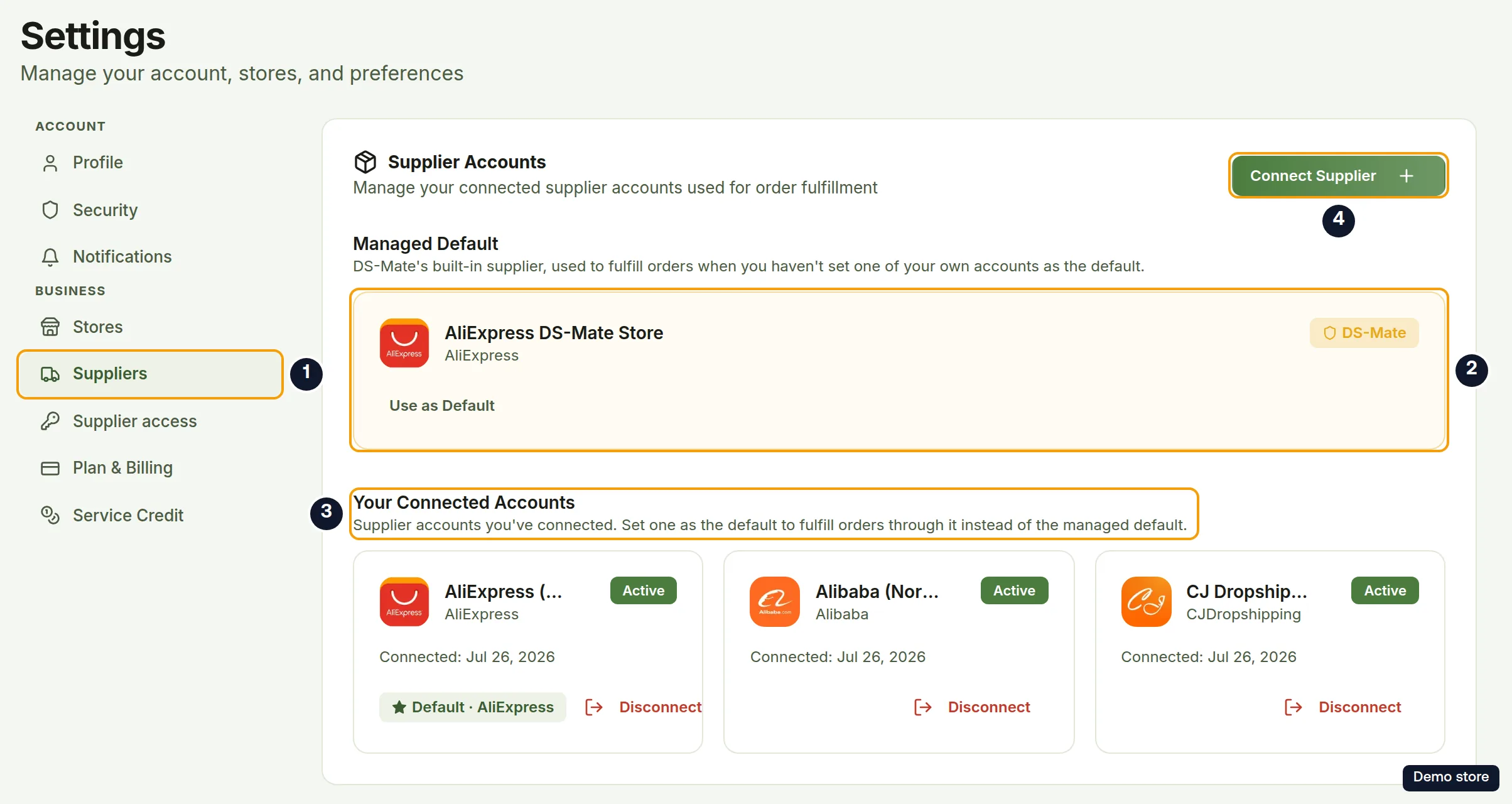
- Click Settings at the bottom of the sidebar.
- Click Suppliers under Business.
- In the Supplier Accounts card ("Manage your connected supplier accounts used for order fulfillment"), click Connect Supplier.
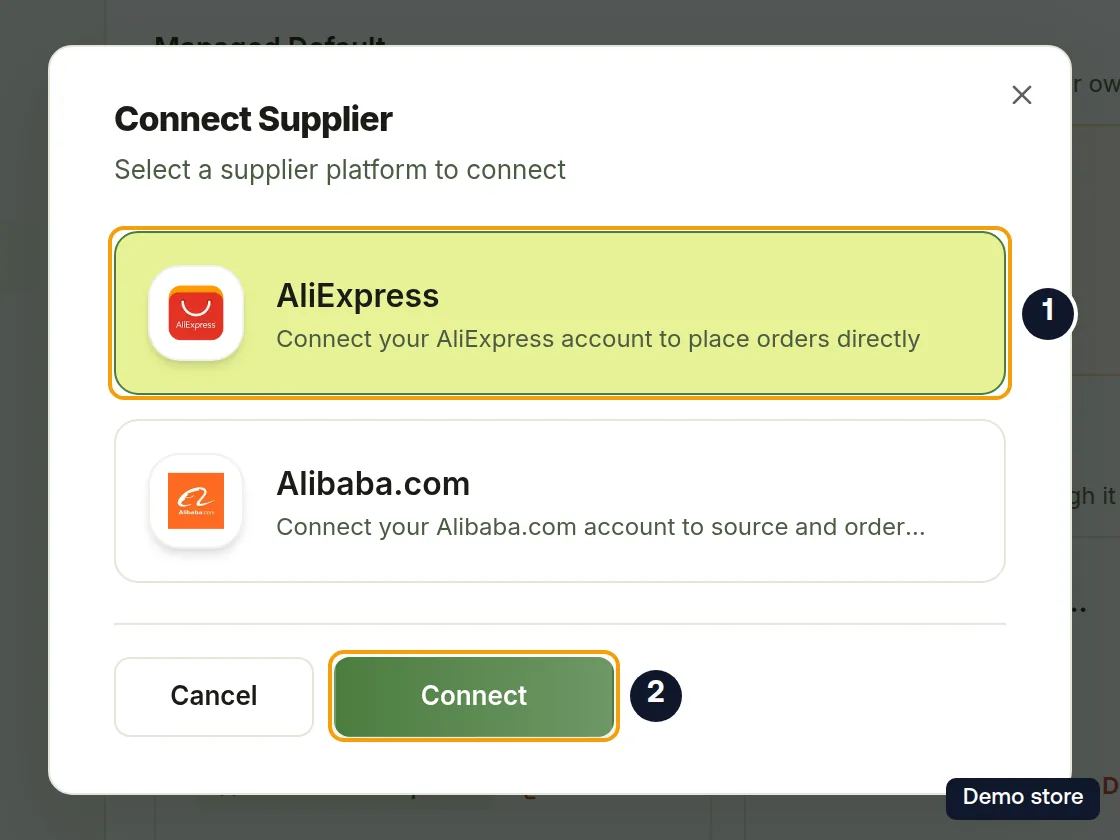
- The Connect Supplier dialog opens ("Select a supplier platform to connect").
- Click the AliExpress tile ("Connect your AliExpress account to place orders directly").
- Click Connect. It is disabled until you pick a tile, and reads Connecting... while it sends you to AliExpress.
- Sign in and authorize DS-Mate on AliExpress.
- Back on DS-Mate you see Connecting your AliExpress store... (the screen says "store", but this is your supplier account), then Authorization received and Exchanging tokens....
- The toast "Successfully connected AliExpress supplier account!" confirms it, and you are back on Settings > Suppliers.
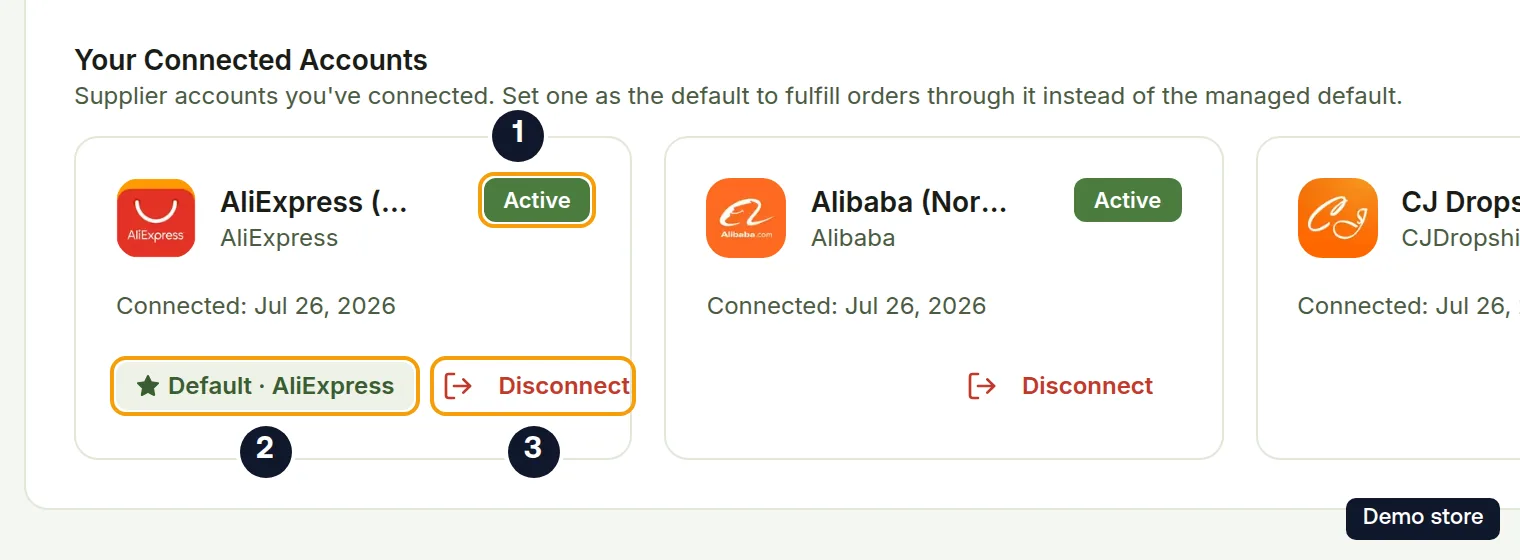
- Your account appears under Your Connected Accounts as AliExpress Account followed by its id (you can rename it with the pencil; the demo account in the picture has been renamed and is an older default, so it also shows Default · AliExpress), with platform AliExpress, the badge Active, "Connected:" with the date, and a Disconnect button.
Good to know
- Not used yet: connecting the account does not change how orders are placed. Orders keep going through DS-Mate until you choose the account on a store with Assign Supplier (see the supplier question below). The Managed Default card AliExpress DS-Mate Store (badge DS-Mate) stays the default after you connect. If an older default of your own is still marked, as in the pictures above, that account shows Default · AliExpress and the Managed Default card offers Use as Default instead.
- A supplier account is not a store. It does not count towards your store limit, and there is no cap on how many AliExpress accounts you connect.
- Naming: click the pencil on the account card to give it a name you recognise; the toast "Supplier renamed" confirms it.
- On the Free plan, Connect Supplier shows a lock and is disabled. The tooltip reads "Connecting your own supplier accounts is available on the Starter plan and above.", and an Upgrade to Starter link sits next to the button.
- If you take longer than 10 minutes, the connection fails (for example "Invalid or expired authorization request"); start again from Connect Supplier.
- If you decline on AliExpress, you come back to Settings > Suppliers with no message shown.
- If you see Connection Failed, open Settings > Suppliers and try again.
On the Shopify app
The Shopify app has no screen for connecting supplier accounts. Use the web dashboard.
Related Articles
Still have questions?
Our support team is ready to help. Reach out and we'll get back to you as soon as possible.